
Azure functions providers numerous types of triggers and they help in ensuring that functions can be executed based on certain action on those resources. Service Bus provides two major messaging subsystems
- Queues and
- Topics
Queues has one sender and one receiver for the messages. Once the message is read by a receiver, the message is removed from the queue. In contrast, Topics has one sender but multiple receivers. The message is replicated multiple times – once per receiver and they are removed as and when receivers read it.
Service bus messages can be read as string messages and that’s the default scaffolding code we can see in Visual Studio. Reading string messages works fine but has its limitations. The primary limitation is that there is no type checking and no specified schema for the message. It can contain any payload and would be accepted by the Azure function. There is no design time or runtime validation on the incoming message unless the code within the function does it explicitly.
The next image shows the boilerplate code generated by Visual Studio for a Service Bus Queue binding in an Azure function.

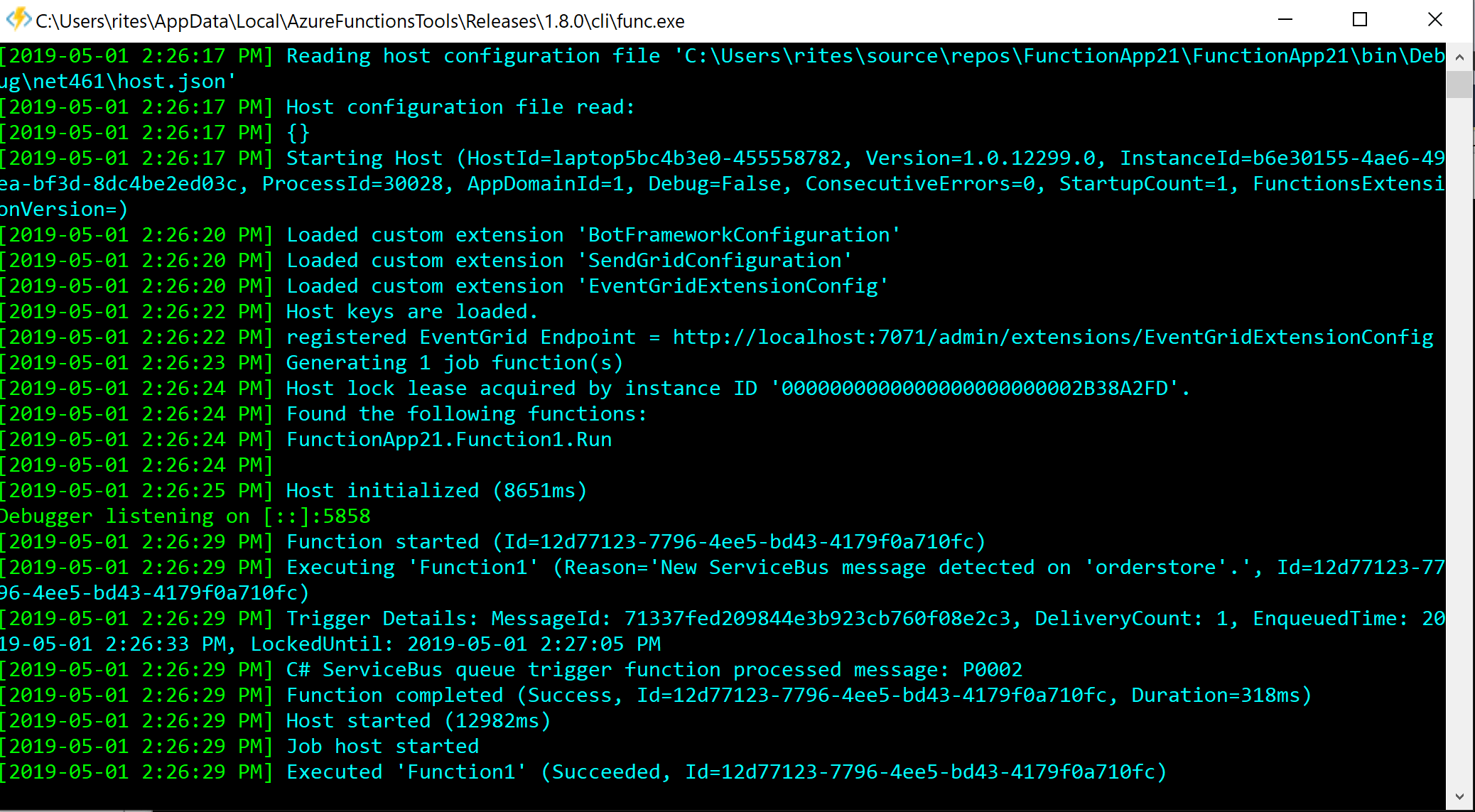
And when sending a message will execute this function successfully.
How can we make it better such that there is automatic validation and type check when a message is received by the function?
One of the features of Azure functions is that we can declare custom types within the function. Instead of accepting a string value, we can accept an object of this new custom type within our function signature. Generally, these types should be declared centrally and shared with multiple function.
First, we must understand that all incoming parameters to Azure functions are converted into JSON by Azure function runtime and Azure function runtime then converts this JSON payload to whatever the function parameter datatype is expected by the function.
Once the Azure function runtime sees that there is a custom type instead of a string while invoking the function, it will try to serialize the incoming message to the type rather than string. If the type composition is different than the content of the message, the validation will fail, and the function will not execute.
We can see this in action here.
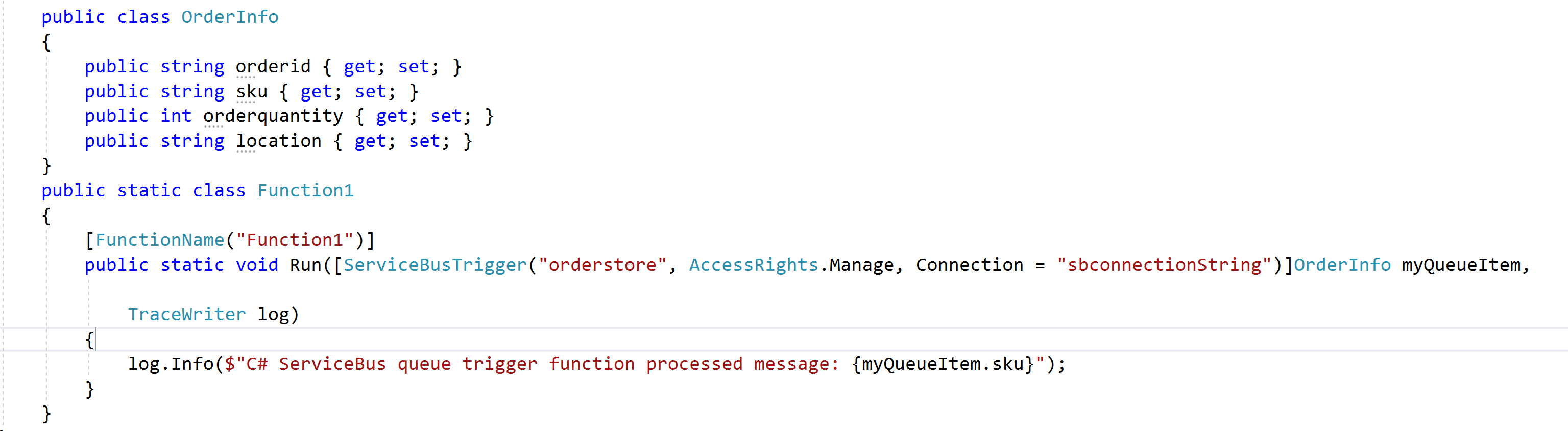
First, Lets change the code for Azure function. Instead of accepting string argument, now it accepts a .Net object of type “Orderinfo”. The “OrderInfo” class is also declared within the function.
Now, we can write a client application responsible for sending Queue messages to this queue. We would also need the definition of OrderInfo object on client side. The code for client side is shown next.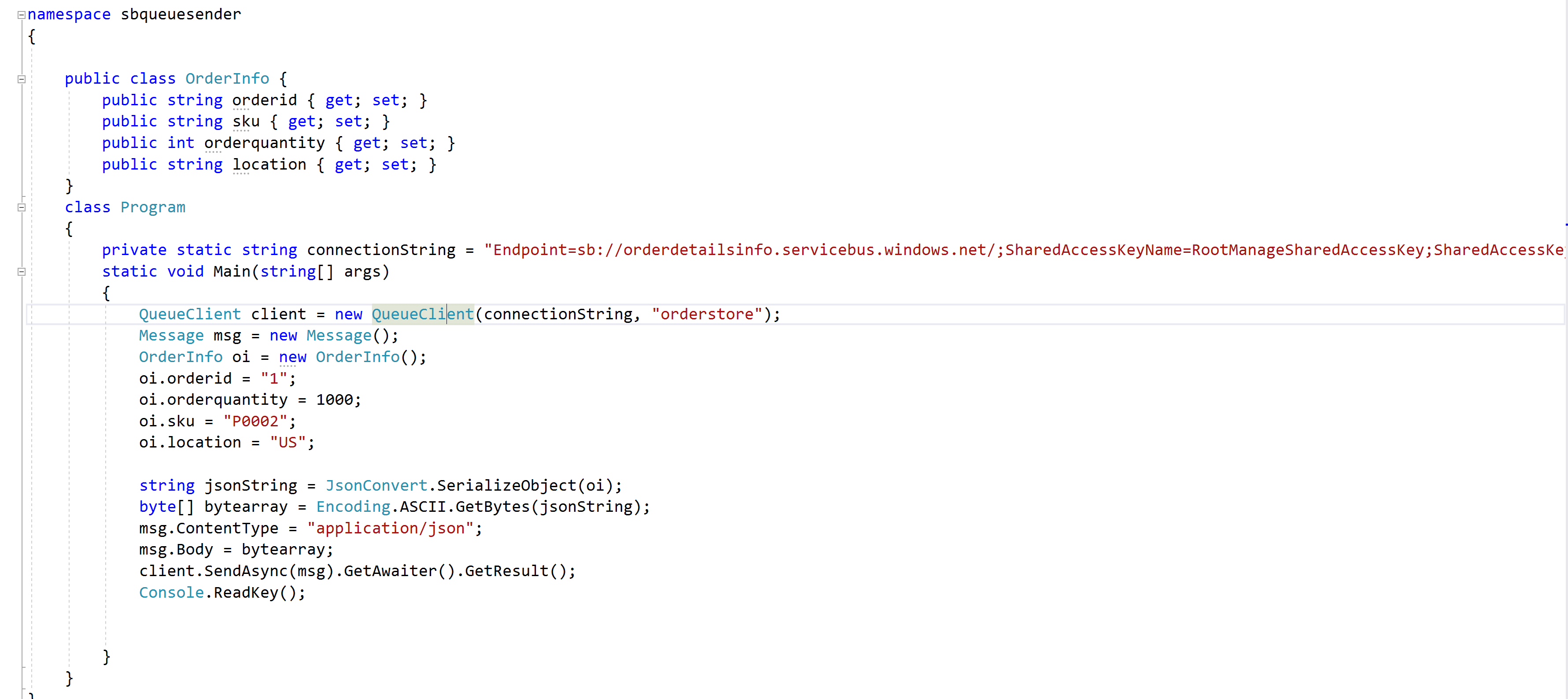
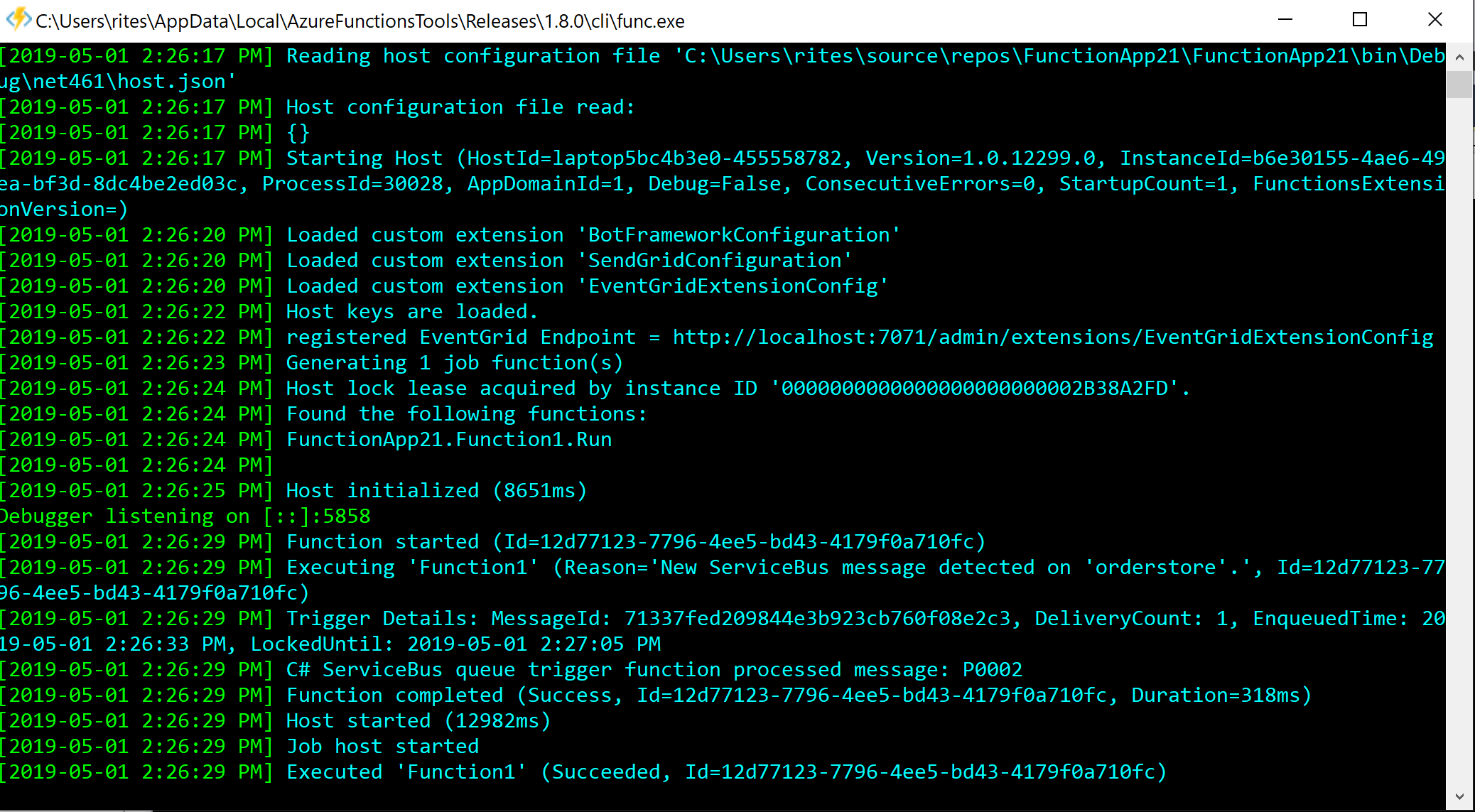
Now, these messages will be accepted by Azure function, validate if the incoming object can be serialized into OrderInfo object and continue execution of the function if it is successful.
The client code creates an instance of OrderInfo class, fills up its properties with necessary values, serializes into JSON format, converts it into bytes and assigns it to the body property of Message object. Finally, the Message object is sent using the QueueClient object.
An important consideration is the client code is setting of the content type to “application/json”. If we do not set up this property, the function will fail with the following error message.
I have seen many developers on internet struggling with this error. The solution is to set the content type with the value of “Application/json”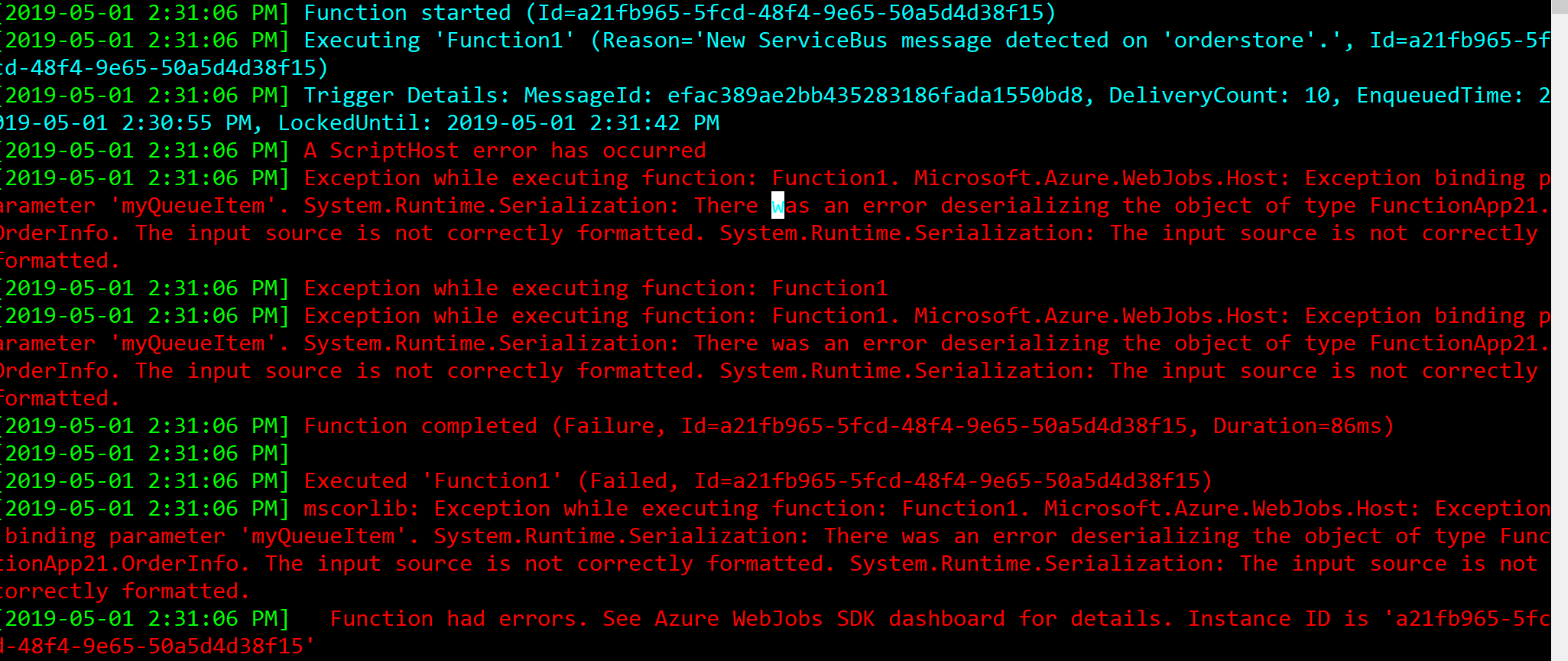
Happy Coding !!
 Ritesh Modi - Principal Engineer
Leave a comment